TikTok to MP3 Converter | Video to MP3 | Free Forever | No Sign Up
Introduction
Scrolling through TikTok, you finally hear it: that one sound, beat, or voice clip you want to keep forever. The problem is that TikTok does not give you a built-in way to save just the audio. This is exactly why a TikTok to MP3 tool exists, and why so many people search for one every single day in 2026. A good TikTok to MP3 converter lets you paste a link, wait a few seconds, and walk away with a clean audio file you can use anywhere.
This guide covers everything you need to know about using a TikTok Video to MP3 converter in 2026. You will learn what these tools do, how to use them on a phone or computer, which features actually matter, and how to avoid common problems like missing audio or low-quality files. We will also look at safety, legal questions, and smart tips for getting the best sound. By the end, you will know exactly how to turn any TikTok video into an MP3 without stress.
What Is a TikTok to MP3 Converter?
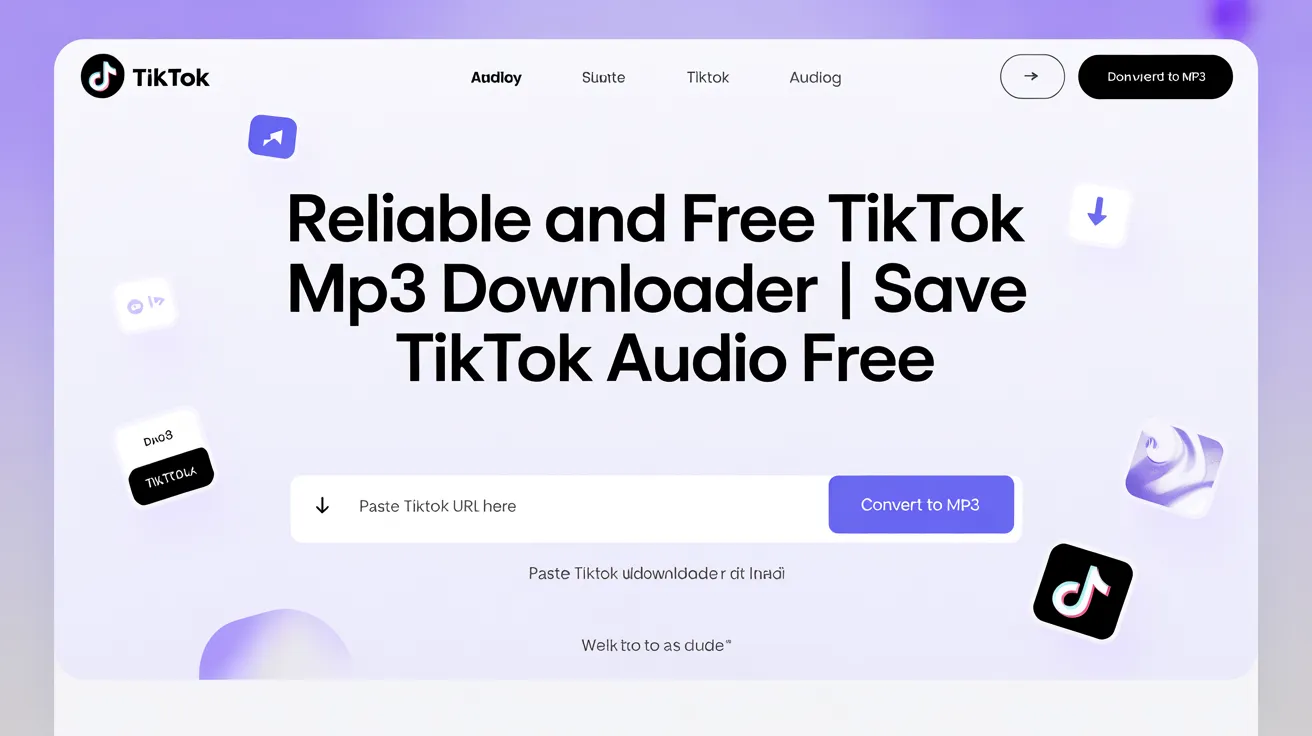
A TikTok Video to MP3 converter is a tool that pulls the audio track out of a TikTok video and saves it as a standalone MP3 file. Instead of keeping the whole video on your phone, you end up with just the sound, music, or voice. Most tools work the same basic way: you copy a video link from the TikTok app, paste it into the converter, and click a download button. Within seconds, the site processes the file and gives you an audio download.
The phrase “TikTok Video to MP3” covers a wide range of tools, from simple browser-based converters to full apps with editing features. Some focus only on speed and simplicity, while others add extras like batch downloads or quality controls. No matter which type you choose, the core job stays the same: take a TikTok video link, strip out the audio, and hand you back an MP3 file you can store, share, or play offline whenever you want.
Why People Want to Convert TikTok to MP3?
There are dozens of reasons people search for ways to convert TikTok to MP3 every day. Creators want trending sounds for their own videos. Music lovers hear a song clip and want the full track saved for later. Some users want voiceovers or spoken audio for transcription, language practice, or note-taking. Others simply want a custom ringtone made from a funny or catchy TikTok moment, without needing extra software or technical skills.
Beyond personal use, audio extraction is useful for content planning. Marketers and small business owners often save trending audio to study what makes it popular before using similar styles in their own campaigns. Podcasters sometimes pull short clips for intros or transitions. Whatever the reason, the demand for a fast, free, and reliable TikTok to MP3 converter keeps growing, especially since TikTok remains one of the biggest sources of viral sound on the internet.
How to Convert TikTok to MP3 in 2026 (Step-by-Step)?
The general process for using a TikTok MP3 converter barely changes between devices, but a few small steps differ depending on whether you are on a phone or a computer. The basic flow is always: find the video, copy its link, paste it into the converter, choose MP3 as the output, and download the file. Most tools finish this in under thirty seconds, with no software installs and no account creation required at any point.
On Your Phone (Android and iPhone)
Open the TikTok app and find the video with the audio you want. Tap the “Share” icon, then choose “Copy Link.” Open your phone’s browser, go to the converter website, and paste the link into the input box. Tap the convert or download button, wait for the page to process the file, then select the MP3 option. The audio file usually saves to your downloads folder or photo library automatically, ready to play offline anytime.
On a Computer or Laptop
On a desktop, open TikTok in your browser and click the share icon on the video to copy its URL. Paste that link into the TikTok MP3 converter’s search box, then press the convert button. Within seconds, the tool will display download options, including an MP3 format choice. Click it, choose a save location on your computer, and the audio file downloads instantly. No browser extensions or extra programs are needed for this method.
Best TikTok to MP3 Converter Features to Look For
Not every TikTok Video to MP3 converter is built the same way, so it helps to know which features actually matter. Speed is one of the biggest factors, since nobody wants to wait minutes for a short audio clip. Look for tools that process links almost instantly and clearly show a progress indicator. Audio quality matters too. The best converters preserve the original sound at up to 320kbps, so the file does not sound flat, muffled, or distorted compared to the source video.
Other helpful features include support for multiple devices, so the same tool works whether you are on an iPhone, an Android, or a desktop browser. No sign-up requirements are a major plus, since creating an account just to download a short audio clip feels unnecessary. Finally, a clean interface without aggressive pop-ups or confusing buttons makes the whole experience smoother, safer, and far less frustrating than tools cluttered with ads.
Top TikTok to MP3 Converter Tools Compared in 2026
Different types of TikTok MP3 tools suit different needs. Browser-based converters work for quick, one-off downloads without installing anything. Mobile apps suit people who convert audio often and want shortcuts saved on their home screen. Desktop software fits users who need batch downloads or want to organize large audio libraries. Browser extensions sit between these options, adding a download button directly inside TikTok without needing a separate website tab.
| Tool Type | Best For | Typical Audio Quality | Sign-Up Needed | Speed |
| Browser-based converter | Quick, occasional downloads | Up to 320kbps | No | Very fast |
| Mobile app | Frequent on-the-go conversions | 128–320kbps | Sometimes | Fast |
| Desktop software | Batch downloads and editing | Up to 320kbps | Rarely | Moderate |
| Browser extension | One-click saving while browsing | 128–256kbps | No | Fast |
For most casual users, a browser-based TikTok to MP3 converter offers the best mix of speed, simplicity, and zero cost, which is why it remains the most searched option year after year.
TikTok MP3 Converter for iPhone Users
iPhone users sometimes worry that converting TikTok to MP3 requires installing extra apps from the App Store, but that is not the case for most browser-based tools. Safari and other mobile browsers can handle the entire process without any downloads beyond the final MP3 file. The trick is copying the share link correctly, since iPhones sometimes copy a shortened tracking link instead of the direct video URL, which can occasionally cause errors on certain converter sites.
To avoid this, always tap “Copy Link” directly from the TikTok share menu rather than copying from the address bar. Once pasted into a TikTok to MP3 converter, the site reads the link, locates the audio track, and prepares the MP3 for download. iPhone files typically save into the “Files” app or directly into the device’s storage, where they can be moved into a music app or used as a custom ringtone after a quick format adjustment.
TikTok MP3 Converter for Android Users
Android devices generally have an easier time with browser-based converters because file downloads save directly to a visible “Downloads” folder by default. After copying a TikTok video link through the app’s share menu, Android users simply paste it into a TikTok to MP3 converter and tap convert. Chrome and most other Android browsers handle MP3 downloads automatically without extra permissions in almost every case.
One advantage Android users often enjoy is wider compatibility with file managers, making it simple to move converted MP3 files into music apps, cloud storage, or even set them as ringtones through built-in sound settings. Since Android supports more flexible file handling than some other operating systems, many people find the entire TikTok to MP3 process feels slightly faster and more straightforward, especially when saving multiple audio clips in a single session.
Is It Safe and Legal to Convert TikTok Videos to MP3?
Safety and legality are two different questions, and both matter. On the safety side, reputable converter websites run entirely in your browser, require no account, and do not ask for your TikTok login. Avoid any tool that requests a username and password, since that is a major red flag. Stick to sites with clear download buttons, minimal pop-ups, and no forced software installs, and your experience should stay secure from start to finish.
On the legal side, converting TikTok to MP3 for personal, offline listening is generally considered low risk under fair use in many regions. However, most audio on TikTok is owned by artists, labels, or original creators, so using converted files publicly, in monetized content, or for commercial purposes can raise copyright issues. For more details on how copyright applies to sharing content, TikTok’s own copyright and intellectual property policy is worth a quick read before reusing any audio.
Common Problems: When You Convert TikTok to MP3 and How to Fix Them?
The most common issue people run into is a converter that says the video link is “invalid” or “not found.” This usually happens when the wrong type of link was copied, such as a profile link instead of a video link. The fix is simple: always use the “Share” button on the specific video, then choose “Copy Link,” rather than copying text from the browser’s address bar, which can include extra tracking characters.
Another frequent problem is a downloaded file with no sound or very quiet audio. This often happens with videos that use TikTok’s built-in text-to-speech or videos recorded with very low microphone volume, meaning the original clip simply had weak audio to begin with. Private videos can also fail to convert, since converters can only access publicly available content. If a video is set to private, no TikTok to MP3 tool will be able to process it successfully.
Tips to Get the Best Audio Quality from TikTok Video to MP3
Audio quality starts with the source video, so always choose the original sound whenever possible, since reposted or duetted videos often carry extra compression that lowers clarity. When using a converter, look for an option to select 256kbps or 320kbps output if it is available, since higher bitrates preserve more detail from the original track. Lower settings can sound thinner, especially on music with deep bass or layered instruments.
It also helps to convert directly from a stable internet connection, since interrupted downloads can sometimes produce corrupted or incomplete files. If a converted file sounds off, try the conversion again or test a different reliable converter, since quality can vary slightly between tools even with the same source video. Saving the file with a clear name also makes it easier to organize a growing collection of TikTok to MP3 downloads over time.
TikTok Video to MP3 for Ringtones, Sound Bites, and Content Creation
One of the most popular uses for a TikTok MP3 converter is turning a favorite clip into a custom ringtone. After downloading the MP3, most phones allow trimming the file to a short section using a built-in sound editor or a simple free app. This turns a viral sound, a funny line, or a favorite song hook into a personal ringtone or notification sound in just a couple of extra steps.
Content creators also rely heavily on audio extraction for planning new videos. By converting TikTok to MP3, a creator can study the rhythm, pacing, and structure of a trending sound before recording their own version. Voiceovers can be pulled out for translation or subtitling projects, and short sound effects can be reused across multiple edits, saving creators time compared to recording everything from scratch.
Privacy and Data Safety Tips for TikTok MP3 Converters
Privacy matters just as much as audio quality when choosing where to convert TikTok Videos to MP3. Trustworthy tools do not require you to log into your TikTok account, and they should not ask for personal details like your email or phone number just to download a single audio file. If a site suddenly asks for a password, treat that as a clear warning sign and close the page immediately rather than continuing.
It is also smart to avoid clicking on flashing banners, “you won a prize” pop-ups, or unexpected download prompts that appear outside the main convert button. These are often unrelated ads rather than part of the actual TikTok to MP3 tool. Using a browser with a built-in ad blocker can reduce these distractions significantly, making the whole conversion process feel cleaner, faster, and noticeably safer overall.
TikTok Video to MP3 vs Other Audio Extraction Methods
Compared to screen recording a video and editing out the audio later, a dedicated TikTok to MP3 converter saves enormous amounts of time and avoids quality loss from re-recording. Screen recordings often capture background noise, lower resolution audio, or extra compression, while a direct converter pulls the original audio stream straight from the source file without those extra layers of processing getting in the way.
Desktop video editing software can also extract audio, but it usually requires downloading the full video first, importing it into a program, and exporting just the soundtrack, which takes far longer than a simple paste-and-download converter. For everyday needs like saving a sound, making a ringtone, or grabbing a quick voice clip, a browser-based TikTok MP3 tool remains the fastest and most practical option available in 2026.
Frequently Asked Questions
Is it really free to convert TikTok to MP3?
Yes, most reputable browser-based converters are completely free, with no hidden charges, subscriptions, or download limits for personal use.
Do I need to install an app to use a TikTok to MP3 converter?
No. Most tools work directly inside your phone or computer browser, so no app installation or extra storage space is required.
Is converting TikTok videos to MP3 legal?
Personal, offline use is generally low risk in many regions, but publicly sharing or monetizing converted audio can raise copyright concerns depending on the original content.
Why does my downloaded TikTok to MP3 file have no sound?
This usually happens when the original video had very quiet audio, used text-to-speech, or was set to private and could not be processed correctly.
Can I convert TikTok Video to MP3 on an iPhone without a computer?
Yes, copy the video link using the “Share” button in TikTok, then paste it into a converter site using Safari or another mobile browser.
What audio quality can I expect from a TikTok to MP3 converter?
Good converters preserve up to 320kbps, matching the original TikTok audio quality, though results depend on the source video’s recording quality.
Conclusion
Turning a favorite sound, song, or voice clip into a personal audio file does not need to be complicated. A reliable TikTok to MP3 converter lets anyone paste a link, choose MP3, and download high-quality audio in seconds, without apps, accounts, or hidden costs. By picking a trustworthy tool, following the simple phone or computer steps, and keeping privacy and copyright basics in mind, you can build a personal library of sounds for ringtones, content planning, or just listening offline. With the right approach, converting TikTok to MP3 stays fast, free, and stress-free in 2026.